Your voice.
Your server.
Your rules.
Cordine is a self-hosted voice and chat platform. Run your own server, own your data, and connect with your community — no middleman, no subscription.
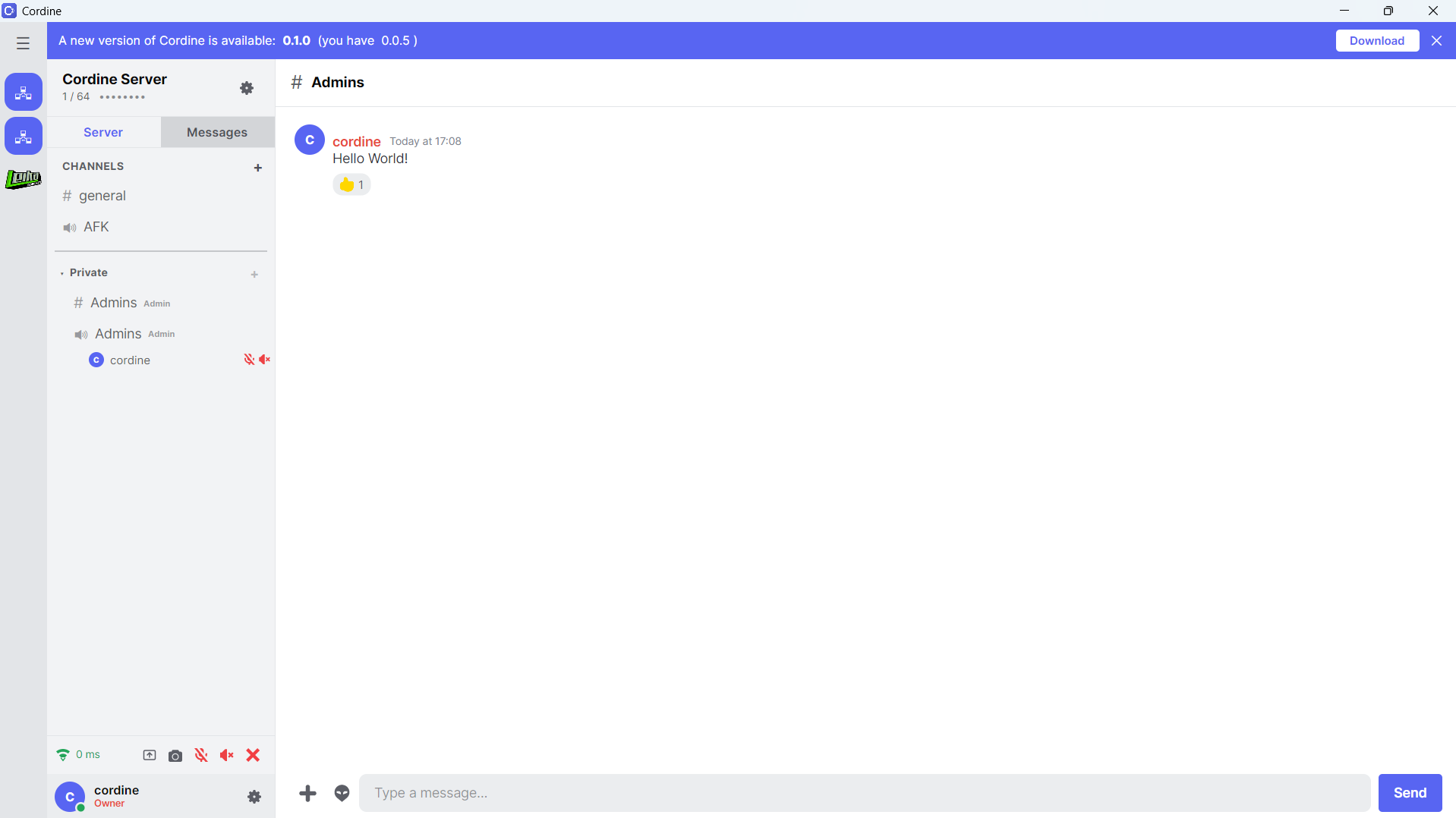
Cordine is a self-hosted voice and chat platform. Run your own server, own your data, and connect with your community — no middleman, no subscription.
Built for communities that want control over their communication.
Run the server on your own hardware. Your data never touches a third-party cloud. You own everything.
Instant messaging with WebSocket-powered delivery. Create channels, send DMs, and see who's typing.
Crystal-clear VOIP is on the roadmap. Drop into voice rooms and talk with your community. Coming soon.
Desktop client for Windows, Linux, and macOS. Android support built-in. One codebase, every device.
TOML config file for hostname, port, max clients, file upload limits, storage caps, and more. Light and dark themes in the client. Make it yours.
Direct messages between users, delivered in real-time. Your conversations stay on your server.
Share your screen or stream your camera with your friends.
The server binary is a single executable. SQLite database, zero external dependencies. Deploy in seconds.
Cordine Server is a single Rust binary. Drop it on any machine, run it, and you're live. No Docker, no database servers, no complicated setup.
Grab the server executable for your platform.
Execute the binary. It creates config.toml and cordine.db automatically.
Edit config.toml to set your server name, port, and max clients.
Point the Cordine client at your server's address and register.
hostname                  = "My Gaming Server"
address                   = "0.0.0.0"
port                      = 8080
max_clients               = 64
ip_visibility             = "visible"
max_file_size_mb          = 10
max_storage_mb            = 100
whitelist                 = false
voice_udp_port            = 8090
voice_max_packet_size     = 1400
voice_speaking_timeout_ms = 600
enable_sfu_media          = true
{
    "hostname": "My Gaming Server",
    "version": "0.1.0",
    "max_clients": 64,
    "online_clients": 12
    "ip_visibility": "redacted"
    "whitelist": false
    "enable_sfu_media": true
}
Cordine is actively developed. Here's what's coming.
Real-time messaging, channel management, typing indicators, and presence.
Direct user-to-user messaging with live delivery.
Light and dark themes with runtime switching in the settings page.
Voice channels with low-latency audio. Drop in, talk, drop out.
Server-to-server communication. DM users across different Cordine instances.
Cryptographic keypair-based identity. One account across all servers.
Download the client for your platform and the server to host your own.
Windows
Setup · ...Android / IOS Coming Soon
Windows, Linux
Binary · ...